
Video Bank – Adding a Video
Adding your First Video
Once installed, you can begin work on adding your first video
The Video Bank starts off completely empty and ready for you to set up as needed, so the first tab you need to go to is add/organize
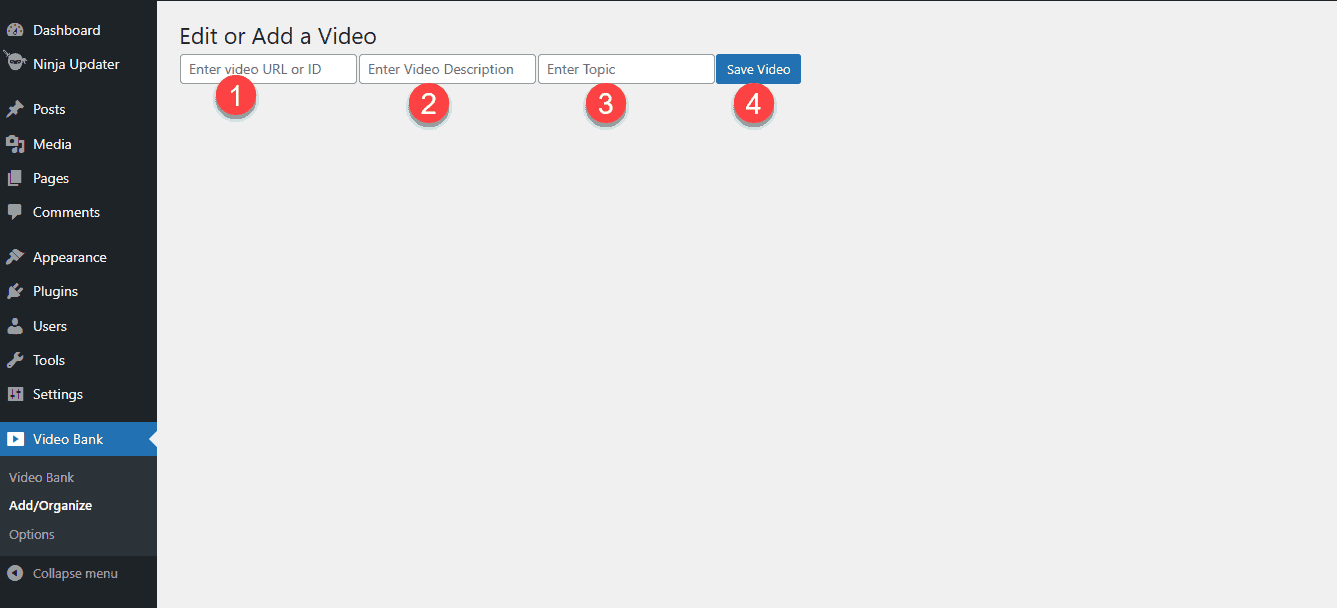
Note Layout is subject to change but functionality remains the same.
- This is where you will add your video ID
- This is where you would add a description of the video
- Topics are Categories, and this is where you want to group several videos together
- Saves the Video
Individual Videos can be edited and deleted once added, and category order can be modified