Initial Setup
Once the Plugin is installed you will have a new area towards the bottom in Settings —> Discussion to modify settings by default all moderators will receive there own notification including the Admin and it works independently of the existing notification system.
It is recommended to disable the default WordPress Notifications to prevent you getting two as the admin

Community Post Moderators Settings:
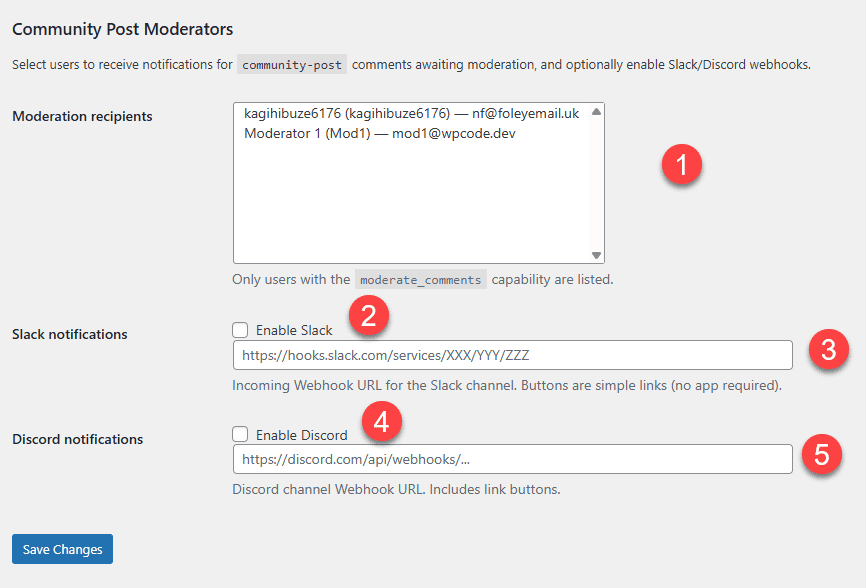
- You can multi-select which people get notified by email by default all with the ability to
moderate_commentswill get there own email you can select here the only the ones you want using shift. - This enables a slack notification
- This is the webhook address for the slack notification
- This enables discord notification
- This is the webhook address for the discord notification
Remember to save your changes
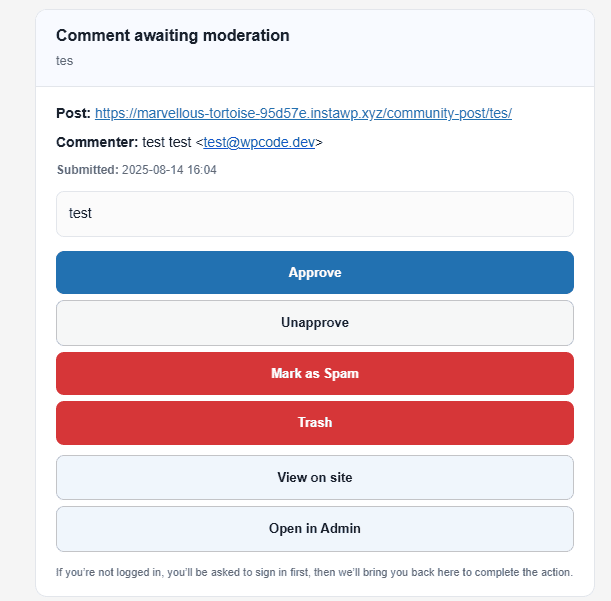
Email Notification
Each user will get there own email notification which looks like the below and will be able to follow the instructions directly from there phone
Discord Notification
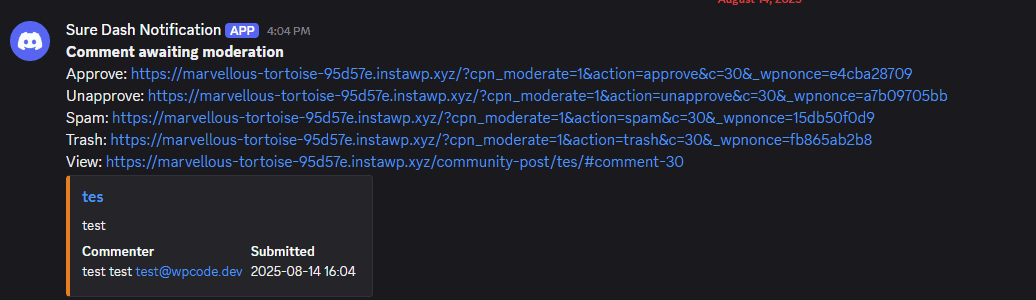
The discord notification will contain links to your site to approve/disprove/trash the comment as needed and is useful if you don’t check your emails often and share a discord as well as your community
Slack Notification
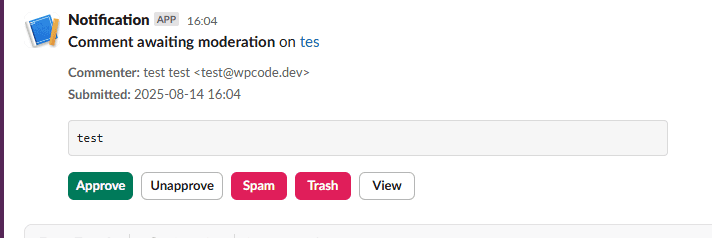
The slack notification will contain buttons to your site to approve/disprove/trash the comment as needed and is useful if you don’t check your emails often and share a discord as well as your community